Tip #1447: Use Parse JSON for settings

I often see makers declaring multiple settings in a Power Automate flow using a single variable per setting.
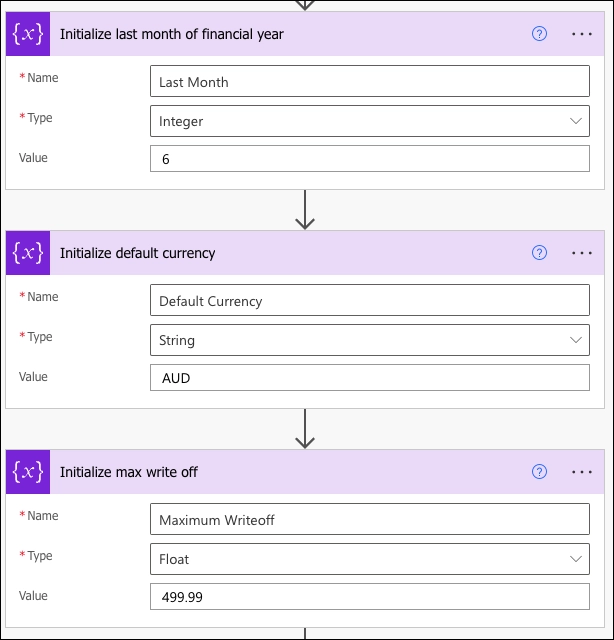
The screenshot shows a sequence of three configuration steps in a Power Automate flow, each labeled with the action

For complex flows, it can quickly get out of hands as variables must be declared on the top level; they cannot be nested or even scoped. An environment variable per each setting, you say? Way to make friends with the deployment admins!

Instead, use Parse JSON action and keep your flows compact by combining all related settings in one neat JSON object.
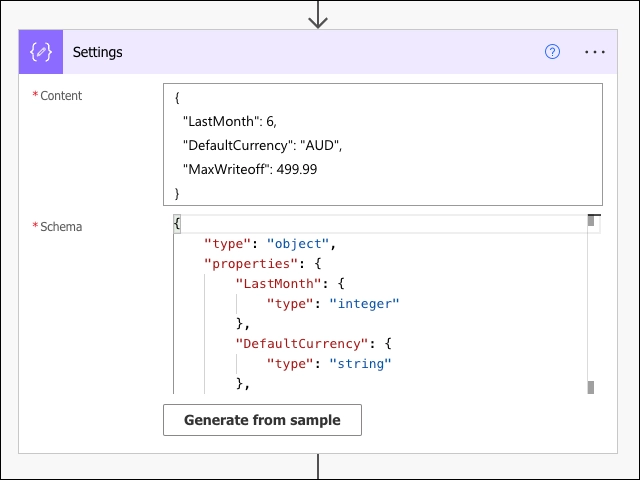

The screenshot displays a dialog box from Power Automate for setting properties in a 'Parse JSON' action. The content section includes a JSON object with three properties: "LastMonth" with a value of 6, "DefaultCurrency" set to "AUD", and "MaxWriteoff" set at 999.99. Below the content box, the schema section is partially filled out with JSON schema definitions corresponding to the above properties, indicating "LastMonth" as an integer and "DefaultCurrency" as a string. There is also a button to "Generate from sample" to create the schema based on a sample JSON content.

Accessing settings after that is intuitive and self-explanatory. And you get a Body as a bonus.
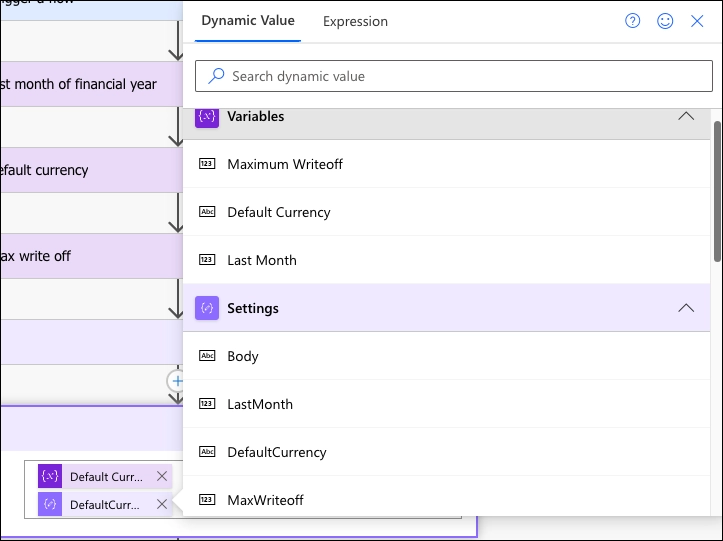
The image is a screenshot of a dynamic content selector within a Power Automate workflow. The panel shows a list of variables and settings from the workflow, indicating where they can be used as dynamic content in subsequent actions. Variables displayed include "Maximum Writeoff," "Default Currency," and "Last Month." Under the settings, items such as "Body," "LastMonth," "DefaultCurrency," and "MaxWriteoff" are available for selection. The interface elements such as search bar, information, and close icons, along with the expansion arrows for each section, suggest that the user can interact with this panel to insert these dynamic values into other parts of the workflow.

The post Tip #1447: Use Parse JSON for settings appeared first on Power Platform & Dynamics CRM Tip Of The Day.

Click Here to Visit the Original Source Article

Scroll to top